Listing your business on FindNepali can help people discover your services, view your contact details, and connect with you more easily.
The process is straightforward. However, before creating a new profile, you should first check whether your business is already listed. If it is, you should claim the existing profile instead of creating a duplicate.
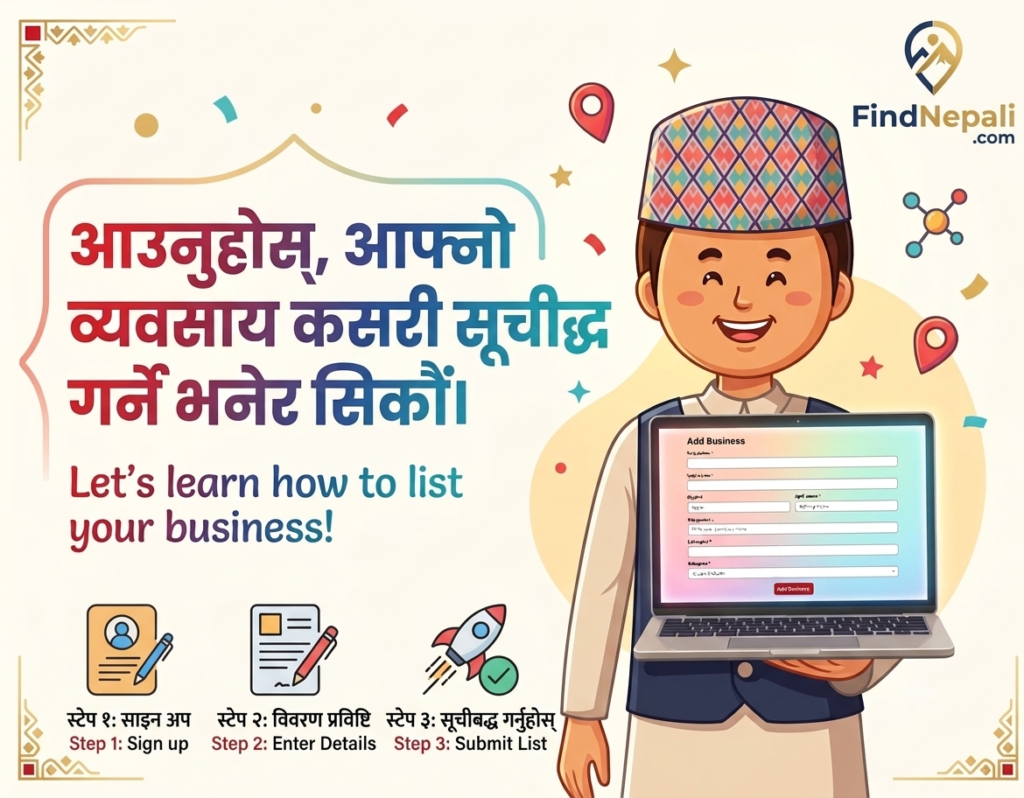
Here is how to list your business on FindNepali step by step.
Before You Start
Prepare the basic information you may need during the listing process:
- Business name
- Business category
- Business description
- City and state
- Phone number
- WhatsApp number, if applicable
- Website
- Business hours
- Logo and business photos
Make sure all the information is current and accurate.
Step 1: Visit the FindNepali Website
Go to the official FindNepali website:
From the main navigation menu, select List Your Services.
If you are not already signed in, the website will take you to the login page.
Step 2: Log In or Create an Account
Existing users can log in with their email address and password.
New users should select Create Account and complete the registration form.
The public signup page currently asks for basic details such as:
- Full name
- Email address
- Phone number
- Password
- Password confirmation
Use an email address and phone number that you can access. You may need them to manage your account or receive platform updates.
Step 3: Search for Your Business First
Before creating a new business listing, search for your business on FindNepali.
This step is important because your business may already appear as an unverified profile.
Search using:
- Business name
- City
- State
- Business category
If you find an existing profile for your business, do not create another one.
Instead, open the profile and look for the Claim Profile option.
Step 4: Create a New Listing or Claim the Existing Profile
What you do next depends on whether your business is already listed.
Create a new listing when:
- Your business does not appear in the directory
- The business is currently active
- You are the owner or authorized representative
Claim the existing profile when:
- Your business is already listed
- The profile is marked as unverified
- You want to update or manage the information
Claiming the existing profile helps prevent duplicate listings and keeps all business information in one place.
Step 5: Add Your Business Information
If your business is not already listed, continue to the business-listing form after signing in.
Complete the fields shown in your account.
The available fields may change as FindNepali updates the platform. However, you should be prepared to provide accurate information about your business.
1. Business name
Enter the name customers know and recognize.
Use:
Himalayan Tax Services LLC
Avoid:
Best Nepali Tax Accountant Near Me USA
The second version looks unnatural and may confuse customers.
2. Business category
Choose the category that best matches your main service.
For example:
- Real estate
- Restaurant
- Insurance
- Tax services
- Education
- Home services
- Staffing
- Travel
- Beauty services
Do not choose unrelated categories just to appear in more search results.
3. Business description
Write a short description explaining:
- What your business offers
- Where it operates
- Who it serves
- How customers can contact you
Example:
Himalayan Home Services provides residential cleaning and move-in cleaning in Pittsburgh and nearby communities. Customers can call or send a WhatsApp message to ask about availability and pricing.
Keep the description simple and specific.
Avoid phrases such as:
- Best business in the USA
- Guaranteed results
- Cheapest service
- Number-one company
- Guaranteed customers
Use facts instead of exaggerated claims.
4. Location
Add the correct:
- City
- State
- ZIP code
- Street address, when relevant
- Service area
Only include locations where your business actually operates.
5. Contact information
Add the contact methods customers can use, such as:
- Phone number
- WhatsApp number
- Website
- Email address
Check every detail before submitting the listing. A wrong phone number or broken website link can cause you to miss customer inquiries.
Step 6: Upload Clear Business Photos
Add clear and relevant images to make your profile more complete.
Useful images may include:
- Business logo
- Storefront
- Office
- Team members
- Products
- Completed projects
- Service-related photos
Use original images whenever possible.
Avoid:
- Blurry photos
- Stretched images
- Unrelated stock photos
- Screenshots with unnecessary text
- Images containing private customer information
Your main image should clearly represent the business.
Step 7: Review and Publish the Listing
Before submitting the listing, review every section carefully.
Check that:
- The business name is correct
- The category matches your service
- The description is easy to understand
- The city and state are correct
- The phone number works
- The website link opens
- The photos display properly
- The business hours are accurate
Once everything looks correct, follow the instructions shown on the website to submit or publish the profile.
What to Do After Publishing
Open your business profile and review it as a customer would.
Make sure the important information is easy to find.
You should also update the listing whenever you change your:
- Phone number
- Address
- Website
- Business hours
- Services
- Service area
- Business status
An outdated listing can create confusion and cause customers to contact the wrong number or visit at the wrong time.
How to Make Your Listing More Useful
A listing should help customers understand your business quickly.
Keep the description short
Do not write your full company history.
Focus on:
- Main service
- Location
- Target customer
- Contact method
Use real photos
Real business photos usually feel more trustworthy than unrelated stock images.
Add one clear action
Tell customers what they should do next.
Examples:
- Call for an estimate
- Send us a WhatsApp message
- Visit our website
- Request an appointment
- Ask about availability
Share your listing
After publishing, share the profile through:
- Business cards
- Community groups
FindNepali can provide the listing page, but sharing it can help more people discover it.
Common Mistakes to Avoid
- Creating a duplicate profile
Always search before creating a new listing.
- Choosing the wrong category
Select the category that best describes your main business activity.
- Writing a vague description
Clearly explain what you offer and where you operate.
- Adding incorrect contact details
Test your phone number, website, and email address.
- Uploading poor-quality images
Use clear photos that represent the real business.
- Using too many keywords
Write naturally for customers. Do not repeat the same phrases in every sentence.
- Forgetting to update the listing
Review the profile whenever your business information changes.
Frequently Asked Questions
1. Do I need an account to list my business on FindNepali?
Yes. Selecting List Your Services while signed out redirects you to the login page. New users can create an account before continuing.
2. What should I do if my business is already listed?
Open the existing profile and use the claim option if you are the business owner or an authorized representative.
Do not create a duplicate listing.
3. Can I list products through the business-listing section?
The business-listing area is intended for businesses and professional services.
Use the Buy / Sell section when you want to publish an individual product or marketplace item.
4. Will listing my business guarantee customers?
No. A listing can make your business easier to discover, but it cannot guarantee views, inquiries, rankings, or sales.
Results may depend on your location, category, profile quality, customer demand, response time, and promotion.
5. Can I edit my listing later?
Yes, business owners should use their FindNepali account to manage and update their profile when information changes. Follow the current account options available on the platform.
Conclusion
Learning how to list your business on FindNepali starts with one important step: search for your business before creating a new profile.
If the business already exists, claim it. If it does not, log in, complete the listing form, add accurate information, upload clear photos, and review everything before publishing.
Keep the profile simple, complete, and honest.
A good listing should help a potential customer understand what your business offers, where it operates, and how to contact you.